> ## Documentation Index
> Fetch the complete documentation index at: https://docs.rails.xyz/llms.txt
> Use this file to discover all available pages before exploring further.
# Deposit & Withdraw
> Guide on how to deposit & withdraw funds on Sandbox for testing
To begin trading on the Rails platform, you must first deposit funds into your account. Sandbox runs on the [Stellar](https://stellar.expert/explorer/testnet/) testnet, and deposits and withdrawals are made in **USDT** ([`USDT-GBKQC2DYQSYAYSZGPMGK226QDEYU3HNTOBKQW3V2S2T7US5LJIN6TKLW`](https://stellar.expert/explorer/testnet/asset/USDT-GBKQC2DYQSYAYSZGPMGK226QDEYU3HNTOBKQW3V2S2T7US5LJIN6TKLW)) through the [Freighter Wallet](https://www.freighter.app/) from Stellar.
Please contact [institutions@rails.xyz](mailto:institutions@rails.xyz) and provide your wallet address to receive test USDT funds for Sandbox deposits.
## Connect Your Wallet
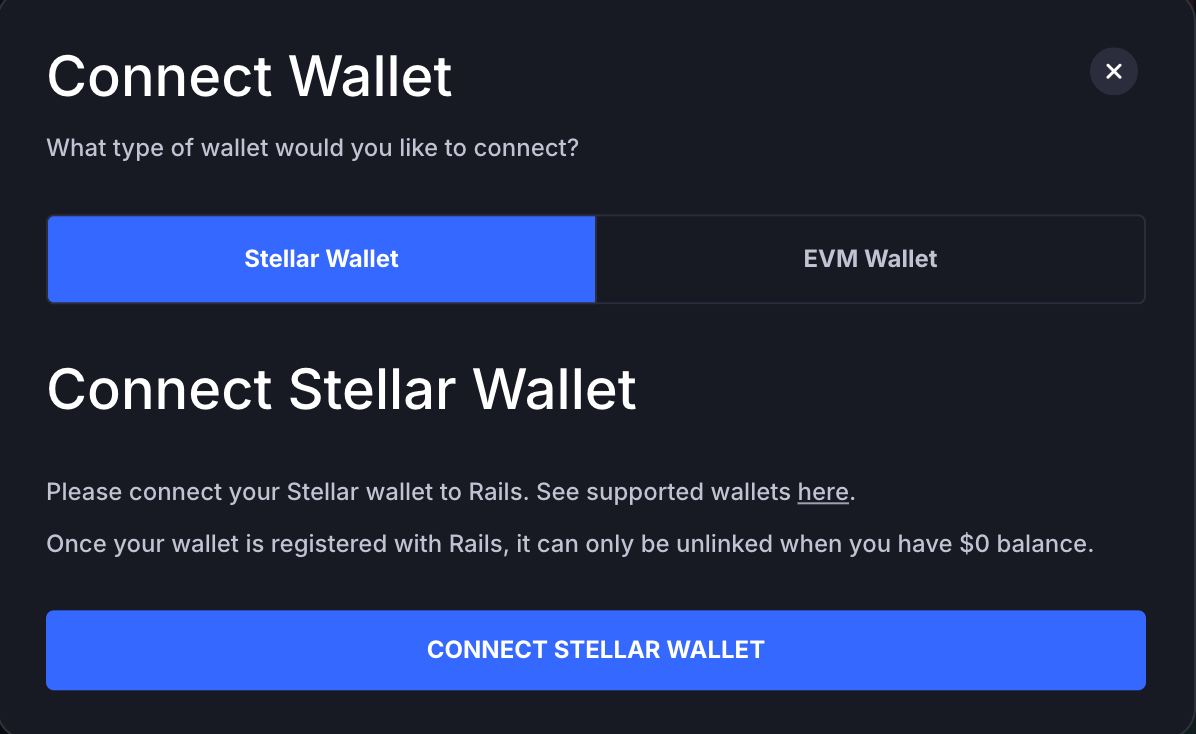
First, click the **Connect Wallet** button in the top right corner of the Rails UI.
 The Connect Wallet modal will appear. Select and connect your **Stellar wallet**.
 ## Deposit
Once your wallet is connected, a **Deposit** dropdown button appears in the top right corner. Click it to open the deposit view.
## Deposit
Once your wallet is connected, a **Deposit** dropdown button appears in the top right corner. Click it to open the deposit view.
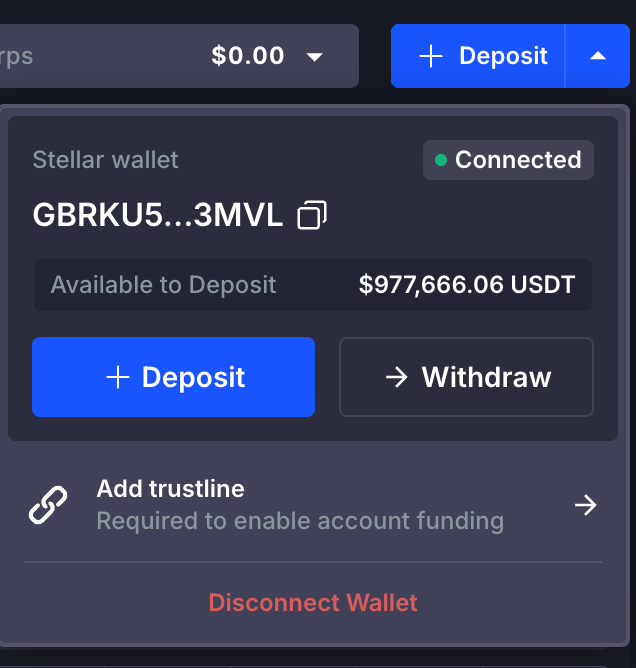 On Stellar, a wallet can only receive tokens for which a **trustline** has been established. If you have not already added the USDT trustline, click the **Add trustline** link to add it.
Once the trustline is in place, click **Deposit** and follow the guide in the modal to complete the process.
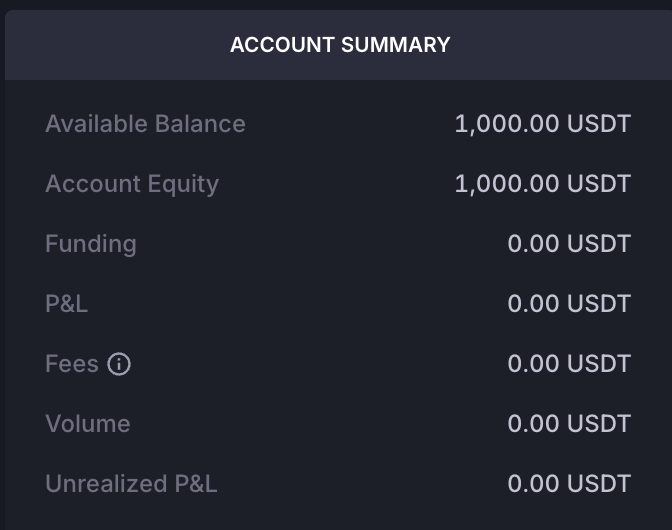
When the deposit is complete, your funds appear in the **Account Summary** section in the bottom right of the Rails UI.
On Stellar, a wallet can only receive tokens for which a **trustline** has been established. If you have not already added the USDT trustline, click the **Add trustline** link to add it.
Once the trustline is in place, click **Deposit** and follow the guide in the modal to complete the process.
When the deposit is complete, your funds appear in the **Account Summary** section in the bottom right of the Rails UI.
 ## Withdraw
To withdraw, click the **Withdraw** button next to the Deposit button and follow the guide in the modal to complete the process.
## Withdraw
To withdraw, click the **Withdraw** button next to the Deposit button and follow the guide in the modal to complete the process.